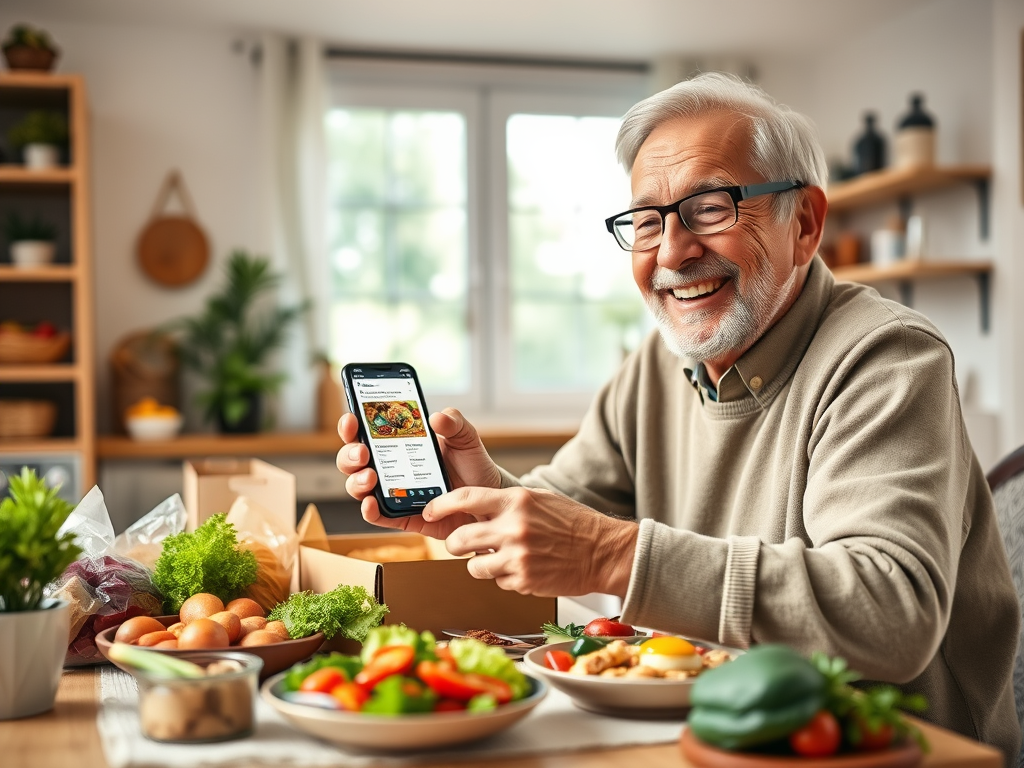
How to Save Money, Eat Well, and Skip the Stress
Retirement is a great time to enjoy good food—without always cooking every meal or driving to the store. Food delivery apps can bring groceries, healthy prepared meals, and even the occasional treat right to your door.
But with so many options (DoorDash, Uber Eats, Instacart, Walmart, and more), it can be hard to know:
Which app is actually worth it for seniors who care about both their budget and their health?
This guide walks through the major types of delivery services, compares the big names, and gives practical tips to save money and support good nutrition at the same time.
1. Two Types of Food Delivery Apps (Know the Difference)
First, it helps to separate apps into two basic groups:
- Restaurant delivery apps
- Bring meals from local restaurants to your home.
- Examples: DoorDash, Uber Eats, Grubhub.
- Great for: Treat nights, days you don’t feel like cooking, or trying new cuisines.
- Grocery delivery apps
- Bring fresh produce, pantry staples, and household items.
- Examples: Instacart, Walmart Grocery Delivery, Target (Shipt/Target Circle 360).
- Great for: Regular grocery shopping, stocking up on healthy basics, and avoiding heavy lifting.
Some apps now do both (for example, DoorDash and Uber Eats also partner with grocery stores in many areas), but it’s still helpful to think of them this way.
2. Restaurant Delivery Apps: Convenience vs. Cost
DoorDash
DoorDash is one of the largest delivery apps in the U.S., offering meals from a wide range of local and chain restaurants.
Pros:
- Huge restaurant selection in many cities and suburbs.
- Membership (DashPass) can reduce delivery fees on eligible orders for a monthly or annual fee.
- Sometimes offers promos like “$0 delivery fee” or discounts for new users.
Cons:
- Service fees + tips can add up quickly.
- Restaurant prices in the app are sometimes higher than in-store menus.
Best for:
Occasional treats or shared family meals when you don’t want to cook.
Uber Eats
Uber Eats works similarly to DoorDash and is available in many of the same areas. It allows you to order from restaurants and, in many cities, from grocery and convenience stores too.
Pros:
- Wide restaurant selection; easy to use if you already have an Uber account.
- A subscription (Uber One) can reduce delivery fees and provide discounts on eligible orders.
Cons:
- Like DoorDash, fees can be high, especially on small orders.
- Not all restaurants list full nutrition information.
Best for:
Seniors who occasionally want restaurant delivery and already use Uber for rides.
Grubhub
Grubhub focuses on restaurant delivery and is strong in some cities and college towns.
Pros:
- Good variety of local restaurants in supported areas.
- Grubhub+ membership can reduce delivery fees on eligible orders.
Cons:
- Availability varies widely by region.
- Fees and higher menu prices can still make it expensive for frequent use.
Best for:
Areas where Grubhub has strong local restaurant coverage.
How to Use Restaurant Apps Without Blowing the Budget
Because restaurant delivery includes delivery fees, service fees, and tip, costs add up quickly. A $15 meal can easily become $25–$30 by the time it arrives.
Money-saving tips:
- Limit restaurant delivery to 1–2 times per week as a treat, not every day.
- Order for two meals at once (for example, dinner and leftovers for lunch).
- Look for “pickup” options in the same app—often no delivery fee, and you still benefit from easy re-ordering.
- If you join a membership (DashPass, Uber One, Grubhub+), set a reminder to review after 1–2 months to see if you truly save enough to justify the fee.
Nutrition tips:
- Choose grilled, baked, or steamed options instead of fried.
- Ask for sauces and dressings on the side to help manage salt and sugar.
- Look for restaurants that mark “light,” “heart-healthy,” or “low-sodium” items.
- Split large portions into two meals to avoid overeating and stretch your dollars.
3. Grocery Delivery Apps: The Best Choice for Health and Budget
For most retirees, grocery delivery apps are where you’ll get the biggest mix of savings + nutrition. You can stock up on fruits, vegetables, whole grains, and lean proteins—without carrying heavy bags or walking long store aisles.
Instacart
Instacart partners with many grocery chains, warehouse clubs, and local stores across the U.S., and delivers from them using personal shoppers.
Pros:
- Wide variety of stores in many areas: big chains, specialty grocers, and even pharmacies and warehouse clubs (like Costco) in some locations.
- Instacart+ (membership) can reduce delivery fees on orders over a certain minimum, and includes other perks.
- You can save shopping lists and reorder easily—perfect for a weekly routine.
Cons:
- Store prices can be a bit higher than in person for some retailers.
- Service fees and tips still apply, even with Instacart+.
Best for:
Seniors who want access to several different grocery stores (like a favorite local market plus a big-box store) without leaving home.
Walmart Grocery Delivery
Walmart’s app and Walmart+ membership offer delivery of groceries and household goods from nearby stores.
Pros:
- Everyday low prices on groceries and household items.
- Walmart+ can provide free delivery from the store on eligible orders (minimums apply) and other benefits like fuel discounts.
- Easy to add non-food items: cleaning supplies, paper goods, basic clothing.
Cons:
- Substitutions may not always match your first choice.
- Product selection depends on your local store.
Best for:
Seniors already comfortable with Walmart who want budget-friendly groceries delivered regularly.
Target (via Shipt or Target Circle 360)
Target offers same-day and scheduled delivery through Shipt or its own Circle 360 program in many areas.
Pros:
- Good selection of fresh food plus “extras” like home décor, clothing, and hobby supplies.
- Same-day delivery can be useful for restocking quickly.
- Target brands like Good & Gather often have budget-friendly, reasonably wholesome options.
Cons:
- Higher order minimums for free or reduced-fee delivery.
- Not as focused on the very lowest price per item as Walmart.
Best for:
Retirees who love Target’s style and want groceries plus household items delivered.
Mixed Delivery (DoorDash/Uber Eats Groceries)
DoorDash and Uber Eats now deliver from some grocery and convenience stores in many regions.
Pros:
- Fast delivery times, sometimes as quick as 30–60 minutes.
- Good for last-minute items you forgot.
Cons:
- Fees can be higher than “true” grocery apps; selection may be more limited.
Best for:
Emergency top-ups (milk, bread, medications) rather than full weekly shops.
4. Comparing Grocery Apps for Seniors: Price, Ease, and Nutrition
Price: Where Do You Save the Most?
- Lowest everyday prices:
Walmart tends to win for low base prices, especially on staples. If delivery fees are reasonable in your area or you use Walmart+, this can be the cheapest overall for regular groceries. - Best for multiple stores:
Instacart lets you choose from different grocers and compare weekly sales without driving around town. You can also choose “store brands” that are usually cheaper. - Occasional stock-ups:
If you only need delivery sometimes, a pay-per-order service (no membership) may cost less than a monthly subscription you rarely use.
Money-saving tip: Once you know your typical order size, check each app and compare:
- Item prices (store brand vs store brand)
- Delivery fee
- Service fee
- Tip
Do this once, and you’ll know which app gives you the best overall deal in your area.
Ease of Use: Senior-Friendly Features
Look for apps that make life simpler, not more stressful:
- Reorder lists – Ideal if you buy the same basics: eggs, milk, salad greens, oatmeal, coffee.
- Substitution controls – Some apps let you say “No substitutions” or approve alternatives in the app.
- Clear order tracking – Helpful for knowing when to expect a delivery so you can be home and ready.
Instacart, Walmart, Target, and Shipt all offer order tracking and simple reordering; it often comes down to which interface you personally find easiest to read and tap.
Nutrition: Using Delivery Apps to Eat Healthier
Food delivery doesn’t have to mean fast food. Used wisely, these apps can actually improve your nutrition.
Healthy grocery shopping tips:
- Start your cart with produce first. Add fruits and vegetables before snacks or desserts.
- Use the search bar for “low sodium,” “whole grain,” “no sugar added,” or “high fiber” items. Many apps let you see nutrition labels in the product description.
- Stick to your weekly shopping list: protein (chicken, fish, beans), whole grains (brown rice, oats, whole wheat pasta), fruits, vegetables, and healthy fats (olive oil, nuts).
Healthier restaurant choices:
- Look for menus that list calories or nutrition information and use that to guide your order.
- Choose soups with broth instead of creamy versions; choose grilled instead of fried.
- Ask for half portions or plan to save part of the meal for the next day.
5. How Seniors Can Save Money with Delivery Apps
Here are simple strategies to protect your budget:
1. Use Memberships Wisely
Subscriptions like DashPass, Uber One, Instacart+, Walmart+, and Shipt can save you money only if you use them enough.
Consider a membership if:
- You place at least 1–2 orders per week, and
- The estimated delivery fees you would have paid without membership are more than the monthly cost.
Set a reminder for 30 days after you join to see whether it’s really paying off.
2. Order Less Often, But More at Once
Fees are usually per order, not per item.
- Combine groceries for the week instead of multiple tiny orders.
- For restaurant apps, order enough for two meals (or two people) rather than paying separate fees for separate days.
3. Take Advantage of Sales and Coupons
Many apps highlight weekly sales, store coupons, or digital promo codes.
- Instacart and Walmart often show sale tags right in the app.
- Restaurant apps frequently offer new-user or weekday discounts.
Make it a habit to scan the “Deals” section before you check out.
4. Watch Small Add-Ons
It’s easy to toss in snacks, fancy drinks, or desserts when you’re shopping from the couch. Those extras can quietly raise your bill.
Before you tap “Place order,” skim your cart and remove:
- Duplicate items
- Impulse snacks
- Extra sugary drinks
6. Safety and Accessibility for Seniors
Food delivery apps are convenient, but it’s important to use them safely.
- Use secure payment methods (credit card, well-known payment services).
- Create strong passwords and don’t share them.
- If you live alone, consider asking the driver to leave groceries at the door and step back before you open it. Most apps have a “leave at door” option.
If technology feels overwhelming, a family member can help you set up the app once and show you how to reorder in just a few taps.
7. Which App Should You Start With?
Here’s a simple way to decide:
- If you mainly want groceries at the best prices:
→ Start with Walmart Grocery Delivery or Instacart and compare your first couple of orders. - If you want restaurant meals occasionally, but not every week:
→ Try DoorDash or Uber Eats with no membership at first, and watch for promotions. - If you love Target’s brands and one-stop shopping:
→ Use Target delivery (Shipt/Target Circle 360) if available in your area. - If you like having choices among several local stores:
→ Instacart or Shipt are usually the most flexible.
Gentle Takeaway
Food delivery apps don’t have to be confusing or expensive. Used thoughtfully, they can help you:
- Eat better (more fresh groceries, less last-minute fast food)
- Save energy and avoid heavy lifting
- Stick to a budget by shopping sales and planning weekly orders
You don’t have to master every app. Just pick one grocery app and one restaurant app, learn them well, and let them support the routines that keep you healthy and happy in retirement.
Reminder
This guide is for information and convenience only. Fees, membership rules, delivery areas, and prices can change quickly and vary by location. Always review the latest terms and nutrition information in the app or on the official website before ordering.
Leave a Reply